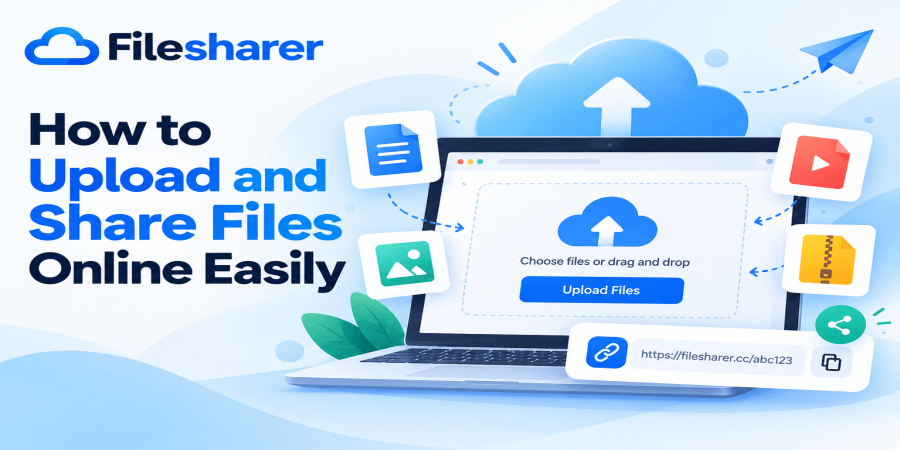
How to Upload and Share Files Online Easily
Oct 22, 2026 04:55 AM
Michael Carter
Sharing files has become an essential part of everyday digital life. Whether you are a student submitting an assignment, a freelancer delivering a completed project, a business owner sending important documents, or someone sharing photographs with family members, you need a convenient way to transfer information. Email attachments can handle many everyday tasks, but they are not always the most practical solution, especially when files become large or need to reach several people. This is why learning how to upload and share files online can make your daily work easier. Instead of repeatedly attaching the same document to different messages, you can upload it to an online file-sharing service and provide a link to the intended recipients. They can then access the shared content according to the permissions and availability of that service.
The process can reduce unnecessary steps, simplify communication, and help you organize the way you distribute digital information. However, beginners sometimes feel uncertain about online file sharing because they are unfamiliar with upload buttons, file links, access settings, or download procedures. Fortunately, the basic process is usually straightforward. You select a file from your device, upload it through a supported website, obtain a sharing link, and send that link to someone who needs the file. The exact steps and available controls depend on the platform you choose. For example, FileSharer is a website you can explore when looking for an online file-sharing solution.
Before using any service, it is important to check its current file-size limits, supported formats, retention policies, and privacy options. Understanding these details helps you avoid unexpected problems when sharing important content. You should also think about the type of information you are uploading. Public marketing materials, product photographs, and ordinary project resources may require different precautions from confidential contracts, financial documents, or personal identification records. A convenient sharing link does not automatically mean a file is private or protected against unauthorized distribution. Good file-sharing habits therefore involve more than knowing where to click.
They include selecting the correct document, checking whether it contains sensitive information, understanding who can access it, and confirming that the recipient receives the intended version. This guide explains the complete process in beginner-friendly language, from preparing your first upload to managing shared links responsibly. You will also learn why online file sharing matters, how to approach larger files, what mistakes to avoid, and how to develop a reliable workflow for personal and business use. You do not need advanced technical knowledge to get started.
With a few practical habits, you can make file transfers more organized, reduce confusion, and communicate more efficiently. Whether you share files occasionally or handle documents every day, the following guidance will help you approach online file sharing with greater confidence and make better decisions about the tools and methods you use.
Why Uploading and Sharing Files Online Matters
The ability to upload and share files online is valuable because modern communication increasingly depends on exchanging digital information quickly and accurately. Businesses send proposals, invoices, product catalogs, training materials, and presentations to customers and employees. Students exchange research papers, class notes, and group assignments. Freelancers deliver design files, videos, written content, and other completed work to clients. Families share photographs, event recordings, and personal documents. Although these activities serve different purposes, they share a common requirement: information must reach the correct person in a usable format.
Traditional email attachments are familiar, but they can create difficulties when files exceed attachment limits, multiple versions circulate, or several recipients need access to the same material. Online file-sharing services provide an alternative by allowing users to distribute access through links. A single link may be easier to include in a message, project management tool, or collaboration platform than a large attachment. It can also help avoid repeatedly sending identical files, although actual storage and bandwidth savings depend on the service and how recipients access the content.
Another important advantage is flexibility. A person working from a laptop can upload a document and send its link to someone using a smartphone, provided the receiving device and service support the file. This can be useful for remote teams, international customers, online businesses, and individuals who communicate across different devices. Online sharing can also support better organization when files are named clearly and associated with the correct project. For example, a designer might use descriptive filenames to distinguish initial concepts, revised versions, and final deliverables. A business owner might prepare separate folders locally for invoices, marketing images, and customer resources before uploading the appropriate items.
These simple practices reduce the chance of distributing outdated or incorrect documents. Speed is another consideration, but it should be understood realistically. Upload and download performance depends on internet connectivity, file size, server conditions, and other technical factors. An online platform cannot guarantee that every large transfer will finish immediately. Reliability also varies, so important files should remain backed up somewhere you control. Sharing a file is not the same as preserving a permanent backup.
Privacy matters just as much as convenience. Some services generate links that anyone possessing the address may be able to open, while others provide additional access restrictions. Before sharing sensitive information, users should verify what protections are available and whether the chosen platform is suitable for the material. Online file sharing is especially useful when approached as a repeatable workflow rather than a one-time technical task. Preparing files properly, choosing an appropriate service, checking access, and confirming delivery can save time over repeated exchanges.
For beginners, the main benefit is simplicity: once you understand the process, distributing documents, images, and other digital resources becomes a manageable part of everyday communication instead of an unnecessarily complicated task.
Step-by-Step Guide: How to Upload and Share Files Online
Learning to upload and share files does not require complicated software or advanced computer skills. A beginner can usually complete the process using a standard web browser and a reliable internet connection. The following walkthrough uses FileSharer as an example because its website provides a visible upload area, file selection controls, and a sharing workflow. Start by visiting the FileSharer upload page and reviewing the available options.
According to the website's published information, basic uploads are available without creating an account, while registered users can access additional file-management capabilities. The upload interface allows users to drag files into the designated area or browse their devices to select files manually. Before uploading, locate the document, image, video, or archive you want to share. Open it locally to confirm that it is the correct version and that it does not contain information you intended to keep private. Rename the file if necessary. A filename such as product-catalog-october-2026.pdf communicates more clearly than final-new-2.pdf. Next, check the size of the file and compare it with the current limits displayed by the hosting platform.
FileSharer's published free plan currently lists a maximum of 6 GB per file, although service limits and conditions may change. If the file exceeds your allowance, you will need an appropriate plan or another suitable transfer method. After checking these details, select the file through the upload area. If the platform offers automatic deletion, privacy, or password settings, review the options available for your upload and choose appropriate controls before proceeding. Then click the Upload button and allow the transfer to finish. Avoid closing the browser tab or disconnecting from the internet while the upload is still running. Once the website confirms completion, locate the generated file-sharing link. Copy the link carefully and test it in a separate browser session when practical.
Testing helps confirm that the address opens the intended file and that the recipient can access it using the permissions you selected. You can then send the link through email, a messaging application, or another communication channel. Include a short explanation identifying the file and its purpose. For example, tell a client that the link contains the final approved project documents rather than sending an unexplained address. If you are sharing multiple files, make sure each recipient understands which files are relevant. Finally, save any management or deletion information supplied by the platform.
FileSharer's FAQ explains that uploaded files can be removed through a retained deletion link or an account dashboard. Remember that deleting the hosted copy cannot erase copies recipients have already downloaded. Completing these steps carefully creates a practical and repeatable process for distributing digital content without unnecessary confusion.
Sharing Large Files, Multiple Documents, and Different Formats
Not every file-sharing task involves a small document. Sometimes you need to deliver a high-resolution photograph collection, a recorded presentation, a design package, or a video project that occupies several gigabytes of storage. These situations require a little more planning because larger files take longer to upload, consume more data, and may exceed the limits of a particular service. The first step is understanding what you are sending. Documents such as PDF, DOCX, and XLSX files are often relatively manageable, while videos, raw photographs, and complex design files can be substantially larger. FileSharer's published FAQ lists support for common document, image, video, and archive formats, including PDF, DOCX, XLSX, JPG, PNG, GIF, MP4, MKV, ZIP, and RAR.
However, supported file types and maximum upload sizes should always be checked before starting a transfer. When you need to send several related files, consider whether to upload them individually or combine them into a ZIP archive. Individual uploads may be useful when recipients only need certain items, while an archive can simplify delivery when the entire collection belongs together. For example, a photographer delivering twenty selected images could organize them into a clearly named folder and create a ZIP file for convenient distribution. Compression may reduce the size of some documents, but it generally provides limited additional savings for formats that are already compressed, such as many JPEG images and MP4 videos.
Therefore, do not assume that converting every large file into a ZIP archive will make it dramatically smaller. Another useful approach is dividing a project into logical parts. Instead of sending one confusing collection containing invoices, images, instructions, and unrelated drafts, prepare separate packages for each purpose. This helps recipients locate the information they need and reduces the risk of distributing unnecessary material.
For users who regularly handle larger transfers, the article How to Share Large Files Online for Free in 2026 provides additional guidance on preparing and distributing larger content. Internet speed also affects the experience. A 2 GB upload over a slow connection can take considerable time even when the hosting service supports much larger files. Keep your device connected to a stable network, avoid unnecessary simultaneous transfers, and check whether your internet plan has data restrictions. If an upload fails, verify the connection, file size, and service status before retrying. When sending business-critical materials, maintain a separate backup and confirm successful delivery with the recipient.
For video and creative projects, clarify whether the recipient needs the original high-quality file or a smaller review version. Sending the appropriate version can save time without compromising the actual purpose of the exchange. These habits make large-file sharing more predictable, especially when deadlines, multiple recipients, or limited internet connections are involved.
How to Share Files Safely and Avoid Common Mistakes
Convenience should never be the only consideration when sharing information online. Every uploaded file may contain information that deserves protection, and every sharing link introduces decisions about who should receive access. One of the most common mistakes is assuming that an unfamiliar or difficult-to-guess link automatically provides complete privacy. Depending on the platform, anyone who obtains an unrestricted link may be able to open the associated file. Links can also be forwarded, copied into group conversations, or stored in places where other people can discover them.
Before uploading anything, classify the content according to its sensitivity. Ordinary promotional brochures, public photographs, and general information sheets may be appropriate for simple link-based distribution. Confidential customer records, personal identification documents, private financial information, and sensitive business agreements require more restrictive handling. Use a service approved for that information and confirm that its access controls meet your needs. Password protection can provide an additional safeguard when properly implemented, but it should not be treated as a guarantee against every security risk. When a password is required, communicate it through a separate trusted channel rather than placing it beside the download link in a publicly accessible message.
Another common mistake is uploading the wrong version of a document. This often happens when files have similar names or when users maintain several drafts in the same folder. Avoid confusion by opening the selected file before uploading and using a consistent naming system. You should also inspect document properties and remove unnecessary personal information or metadata when appropriate. A photograph, for example, may contain location metadata, while office documents may contain comments or revision details that were not intended for recipients. File retention is another frequently overlooked issue. Some services automatically remove files after a defined period or inactivity threshold. FileSharer's published plans include different storage durations, so users should verify the current retention conditions before relying on a link for an important deadline.
Never treat temporary file hosting as your only backup. Keep original copies in a secure location and maintain additional backups for valuable materials. Avoid uploading files that you do not own or have permission to distribute, including copyrighted works shared without authorization. Do not distribute malicious software, deceptive files, or content prohibited by the hosting service. Recipients also have responsibilities: they should verify the sender and avoid opening suspicious downloads from unknown sources. For broader security principles, the U.S.
National Institute of Standards and Technology provides guidance in Security Considerations for Exchanging Files Over the Internet, which discusses risks associated with exchanging files through online services. Finally, test your sharing link before distributing it widely, and avoid posting private download addresses on public websites. A careful approach protects both the sender and recipient while making everyday file sharing more reliable, organized, and appropriate for the information involved.
Practical File-Sharing Checklist for Beginners and Businesses
A consistent checklist can make online file sharing easier because it turns a collection of small decisions into a repeatable routine. Before beginning any upload, identify the purpose of the transfer. Are you sending a completed project to a client, distributing study materials to classmates, sharing photographs with relatives, or providing downloadable resources to customers? The purpose determines which files should be included, how long recipients need access, and whether additional privacy measures are necessary. Next, confirm that you have selected the correct file. Open it locally, check its contents, and verify that it is complete. If you are delivering a document, make sure the pages display correctly and the final changes have been saved. If you are sharing a video, confirm that it plays and includes the intended content.
Use descriptive filenames that make sense to recipients without exposing sensitive details. Then inspect the file size and format. Compare these with the hosting service's published limits and supported types. If you need to distribute several files, organize them into a clearly named archive or separate uploads according to the recipient's needs. Review privacy before uploading. Remove unnecessary personal details, confirm that you have permission to distribute the material, and decide whether a public link is appropriate. If stronger restrictions are required, use an approved system that provides suitable authentication, access control, and protection. Once the file is prepared, open the selected hosting platform and review its current upload interface. FileSharer's published features include multiple uploads, a file manager, and sharing links, although exact allowances depend on the selected plan.
Upload the file and wait for confirmation before copying its address. If the service provides deletion, expiration, or other management controls, record the relevant information somewhere secure. Next, test the generated link. A successful upload does not necessarily mean every recipient will be able to access the file under the same conditions. Test the link in a suitable browser session and check whether the correct document appears. When sharing with clients or coworkers, send a short message explaining the contents, intended use, and any relevant deadline. For important deliveries, ask the recipient to confirm that the file was received and opened successfully. Keep a simple record of what was shared, with whom, and when, especially if your business regularly exchanges project documents.
Do not record passwords in an unsecured spreadsheet or distribute private links more widely than necessary. After the recipient has finished using the material, review whether the hosted copy is still required. Remove files that are no longer needed when the platform supports deletion, while preserving your own necessary business records and backups. Beginners who want a broader explanation of hosting and storage concepts can also read Free File Hosting: What Is It and How Does It Work?. Following this checklist helps reduce mistakes, improve communication, and make online transfers easier to manage. Most importantly, it encourages users to consider the entire process, from file preparation and upload to recipient access and responsible cleanup, rather than focusing only on generating a link.
Frequently Asked Questions and Final Recommendations
What is the easiest way to upload and share files online?
For ordinary non-sensitive content, a browser-based file-hosting service is often a convenient option. Select the correct file, upload it, wait for completion, copy the generated sharing link, and send it to the intended recipient. The precise workflow depends on the website, but these basic steps apply to many services.
Can I upload files without creating an account?
Some services allow guest uploads, while others require registration. FileSharer's published FAQ states that basic uploads do not require an account, although registered users have access to additional management features.
Can I share large files for free?
Yes, some platforms offer free allowances for larger files, but each service establishes its own restrictions. FileSharer's current free plan advertises a maximum file size of 6 GB and a storage allowance of 21 GB, subject to the published conditions. Check the latest limits before uploading.
Can I share PDF documents, photographs, and videos?
Many online hosting services support these common formats. Confirm compatibility with your chosen platform, particularly when uploading unusual file types.
Are online file-sharing links private?
Not necessarily. An unrestricted link may be accessible to anyone who obtains it. Review the available privacy controls and use a more restrictive solution for confidential information.
How long will my uploaded file remain available?
Retention varies by platform and plan. Some services remove files automatically after a particular period, so do not promise permanent access without confirming the applicable conditions.
What happens if my upload fails?
Check your internet connection, file size, browser status, and any error message. Retry only after identifying a likely cause, and avoid creating multiple unnecessary copies.
Can I delete a shared file?
Many services provide deletion or file-management controls. Removing a hosted file generally prevents future downloads from that location, but it does not remove copies that recipients already saved.
Is online file sharing suitable for businesses?
Yes, it can be useful for exchanging ordinary project resources, marketing materials, presentations, and customer deliverables. Sensitive or regulated information may require an organization-approved system with stronger security and administrative controls.
Should I keep a backup after uploading?
Absolutely. File-sharing platforms are useful for distribution, but temporary hosted copies should not replace a reliable backup strategy.
For more information about choosing an appropriate service, explore Best Free File Sharing Websites in 2026. Ultimately, successful file sharing depends on preparation, clear communication, and responsible access management. A useful platform can simplify the technical process, but good decisions about file selection, privacy, retention, and recipient verification remain essential. Begin with an ordinary, non-sensitive document, practice uploading it, and test the resulting link. Once you understand the workflow, you can apply the same principles to larger projects, multiple documents, and regular business communication.
Login or create account to leave comments
Popular articles
Top Free Cloud Storage Platform for Fast and Secure File Sha...
Mar 13, 2026 07:18 PM
Why Secure Cloud Storage Is Essential for Modern File Sharin...
May 19, 2026 01:40 PM
What Is File Sharing and How to Share Files Online Securely
Mar 12, 2026 07:43 PM
Best Free Cloud Storage for Secure File Sharing in 2026
Mar 13, 2026 07:08 PM
Best Cloud File Transfer Platforms for Easy Online Sharing
May 19, 2026 01:48 PM
Comments (0)