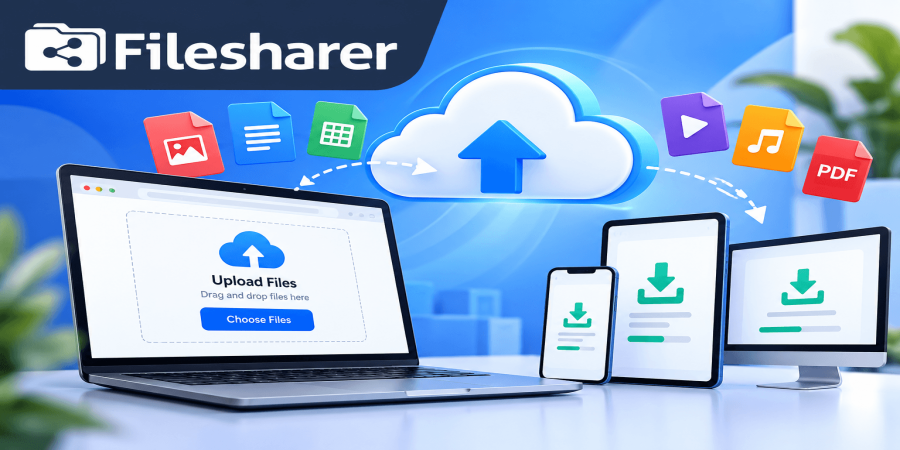
Free File Hosting: What Is It and How Does It Work?
Oct 07, 2026 05:24 AM
Michael Carter
Free file hosting is a kind of service that lets a person put digital files onto a server that sits far away. The files stay on the internet. Can be accessed without paying for the basic storage or sharing functions. Of sending a big document, photo, video, ZIP archive or project file directly through e‑mail or a chat app a user can upload the file once and get a link. The other person opens that link in a web browser. Can download or look at the file depending on the settings of free file hosting. For a beginner free file hosting can sound similar to cloud storage and the two ideas overlap. The real difference is that free file hosting focuses on uploading, storing and giving away files through shareable links while many cloud storage services also add syncing, office collaboration, backups or team workspaces.
A file hosting plan usually offers a limited amount of storage a maximum file size, a set time that the file stays online or basic download rules. Paid plans may raise those limits. Add convenience features. On Filesharer a user can upload files create links and also use simple tools for file management and sharing. If a person is brand to the idea it is useful to first understand what file sharing means and why link‑based sharing is so common online. The basic process is simple: the file leaves the device through an encrypted web connection reaches the server of the file hosting provider gets a unique link and stays online according to the rules of free file hosting. When someone clicks the link file hosting checks whether the file is still there and whether any rule applies then gives the file to that person.
This makes file hosting handy for freelancers who send design drafts students who share class materials, small businesses that deliver brochures or reports creators who share media files, developers who share test packages and everyday people who just want to move a file from one person or device to another. However "free" does not mean "no rules" or "forever." Free file hosting has limits on storage, expiration dates, download speed, ads, acceptable‑use policies, copyright rules and privacy controls that can all change how the service works. That is why the best way to use file hosting is to treat it as a practical sharing tool rather than assume it is a permanent backup system.
In this guide a person will learn what free file hosting is, how it works behind the scenes why it matters, how to use it step by step what mistakes beginners should avoid, how to check whether a free file hosting service fits needs and what to think about before uploading business or personal files. The appeal is clear when e‑mail attachment limits or slow manual transfers block progress. A hosted link can be sent in an e‑mail, support ticket, private message or project discussion without attaching the file over and over. If the free file hosting offers management the uploader can also organize uploads, delete old items or control how links are shared. Still a person should think about how sensitive a file's, before uploading it.
Public marketing material and a confidential customer record do not need the protection. Understanding that difference is one of the important habits a beginner can develop before trusting any online free file hosting service.
Why Free File Hosting Matters for Individuals and Businesses
Why does free file hosting matter when people already have email, chat apps, USB drives, and other ways to move data? The main reason is convenience at the point where traditional methods become awkward. Email attachments can be too large, messaging platforms may compress images or videos, and physical storage devices require both people to be in the same place. A hosted file link avoids many of those problems by separating the file itself from the message used to share it. You upload once, then send a lightweight link wherever communication is already happening.
For a small business, that can simplify client delivery, internal handoffs, customer support, sales documents, product media, and temporary project exchanges. A designer can send a draft ZIP file to a client, a shop can share a catalog PDF, a support team can provide logs or screenshots, and a remote worker can deliver a large presentation without splitting it into multiple attachments. Free file hosting also lowers the barrier for users who only need this capability occasionally. Someone who shares a few files each month may not need a paid storage subscription, especially if the free plan’s size and retention limits are enough for the task. It can also be useful when the recipient does not want to create an account, because many file-hosting workflows are designed around opening a link and downloading a file in a browser.
However, the real value is not simply “free storage.” It is the ability to make file distribution simpler while keeping practical controls in mind. Before choosing a service, check how long files remain available, the maximum upload size, how many files you can upload at once, whether public and private sharing options exist, and what happens when a file reaches the end of its retention period. Filesharer publishes plan details so users can compare the free tier with paid options before relying on it for a particular workflow. Filesharer Pricing This matters because a free service can be perfect for short-term sharing but unsuitable for long-term archives, recurring customer downloads, or files that must remain available for months or years. Security matters too. A shareable link is convenient, but anyone who receives or forwards an unrestricted public link may be able to access its file.
Businesses should therefore avoid treating a public link as a substitute for proper authorization when handling confidential information. NIST advises organizations to consider security and usability together when exchanging files over the internet and to use appropriate protection for sensitive information. NIST Secure File Exchange Guidance In practical terms, that means matching the tool to the risk: ordinary public assets may be fine with simple link sharing, while sensitive contracts, personal records, credentials, private financial documents, or regulated data may require stronger access control, encryption, approved organizational systems, and internal policy.
Used with that awareness, free file hosting can save time, reduce friction, and provide a flexible bridge between your device and the people who need your files. Another benefit is predictability. When a business establishes a simple upload-and-link routine, staff and clients know what to expect instead of improvising a new transfer method every time. That can reduce duplicate attachments, version confusion, and repeated uploads. The important point is to define the purpose first: temporary delivery, collaboration, public distribution, or backup. Once the purpose is clear, it becomes much easier to decide whether a free hosting plan is sufficient or whether a longer-term paid solution is more appropriate.
How Does Free File Hosting Work?
Understanding how free file hosting works becomes easier when you look at the complete journey of a file from your device to another user. First, you select a file in your browser or drag it into the upload area. The browser begins transferring the data to the hosting provider over an HTTPS connection. During this stage, upload speed depends on your internet connection, the file size, network congestion, and the provider’s infrastructure. Second, the server receives the file and records information needed to manage it, such as its filename, size, upload time, owner or session details, and storage location. A service may also run automated checks designed to detect prohibited or harmful content. Third, the system stores the file on its servers or connected object-storage infrastructure.
The physical implementation varies by provider, but the idea is the same: your device no longer needs to remain online after the upload finishes because the hosted copy is now available remotely. Fourth, the platform creates a unique URL or download page that points to that hosted file. This is the link you can send to another person. A public link may work for anyone who has it, while private or password-protected options, when available, can add an extra access layer. Fifth, the recipient opens the link. The hosting service looks up the associated file, checks whether it is active and whether any relevant access rule is satisfied, then sends the file to the recipient’s browser. The data is transferred from the host rather than from your computer, which is why you can close your laptop after uploading and the link can continue working. Sixth, the file remains stored only as long as the plan and service rules allow.
Some free plans use a fixed retention period, some may remove inactive files, and others may offer longer storage only on paid plans. This is why users should never assume that “uploaded” means “stored forever.” Seventh, the platform may provide account tools that let you review, organize, delete, or manage your uploads. Filesharer’s FAQ explains its basic upload, sharing, account, retention, and file-management behavior for users who want to understand the service before uploading. Filesharer FAQ Technically, this workflow is simple from the user’s perspective because the platform hides most of the server-side complexity. You do not need to configure a web server, manage storage disks, create download scripts, or maintain bandwidth infrastructure yourself.
That convenience is the main reason file hosting is attractive to beginners. At the same time, convenience should not remove responsibility. The uploader still needs to choose appropriate files, confirm that sharing is permitted, avoid uploading copyrighted material without authorization, protect sensitive information, and keep a separate backup when the file is important. Think of free file hosting as a managed delivery layer: the provider handles the storage and link mechanics, while you remain responsible for what you upload, who receives it, and whether the chosen sharing method is suitable for the information involved. For businesses, that division of responsibility is worth remembering. The service can make distribution easier, but it cannot decide whether a document should be public, whether a recipient is authorized, or whether company policy allows a third-party host.
A sensible workflow therefore combines technical convenience with a simple decision before every upload: what is this file, who should receive it, how long should it remain available, and what would happen if the link were forwarded? Those questions take seconds and prevent many avoidable problems.
Step-by-Step Guide to Using Free File Hosting
Here is a practical step-by-step way to use free file hosting without making the process more complicated than it needs to be.
Step 1: decide what you are sharing and whether a public file-hosting service is appropriate for it. A product brochure, portfolio sample, public image, or ordinary project asset may be suitable, while confidential customer records, passwords, private identity documents, payment data, or regulated business information deserve stricter handling.
Step 2: prepare the file before uploading. Give it a clear filename, remove unnecessary copies, confirm that it opens correctly, and compress multiple related files into an archive when that makes delivery easier. If the file is important, keep your original copy somewhere else instead of relying on the hosted version as your only copy.
Step 3: open the hosting service and review the current free-plan conditions, especially the storage allowance, maximum file size, retention period, number of simultaneous uploads, and any download limitations. On Filesharer, the homepage provides the upload area and explains the platform’s core file-sharing features, so a beginner can start from one place upload and share files on filesharer.
Step 4: choose or drag the file into the upload area and wait until the transfer is fully complete. Do not close the tab or disconnect from the internet while the upload is still running. Large files can take time if your upstream connection is slow, even when your download speed is fast.
Step 5: review the available sharing settings. If the service offers password protection, private links, automatic deletion, or other controls, choose the option that matches your purpose. For a temporary handoff, a shorter retention period can reduce unnecessary exposure.
Step 6: copy the generated share or download link only after the upload has completed successfully. Open it in a private browser window or another device to confirm that the link works as expected before sending it to a client or colleague.
Step 7: send the link through the communication channel you normally use, such as email, a project-management comment, or a direct message. Add a short description so the recipient knows what the file is, its approximate size, and whether the link will expire.
Step 8: keep track of important shared links. If you use an account, organize files with meaningful names or folders where available; if you upload without an account, save any management or deletion information the platform gives you.
Step 9: remove the file when it is no longer needed, especially if it was created for a one-time delivery.
Step 10: if you repeatedly hit free-plan limits, compare the cost of a paid plan with the time you are spending splitting files, re-uploading expired content, or managing several services.
The goal is not to stay on a free tier at any cost; it is to use the simplest level of service that reliably supports your real workflow. For repeated business use, create a small internal routine so everyone follows the same steps. For example, name files consistently, test the link before sending it, mention expiration when relevant, and delete outdated uploads after delivery. This makes the process easier to audit and reduces the chance that a client receives the wrong version. If a file changes after you have already shared it, upload the new version with a clearly updated filename rather than assuming recipients will know which copy is current. Simple habits like these turn free file hosting from an occasional workaround into a dependable everyday tool.
Common Free File Hosting Mistakes to Avoid
The most common free file hosting mistakes usually come from assuming that every upload is permanent, private, and suitable for every kind of data.
Mistake 1 is using a temporary hosting link as the only backup of an important file. Free plans may have retention limits, inactivity rules, storage quotas, or other conditions, so always keep an original copy on your device or in a separate backup system.
Mistake 2 is sharing a public link as if it were confidential. A link can be forwarded, copied, posted in the wrong chat, or saved by someone else. If the information is sensitive, use stronger access controls or an approved business system rather than relying only on the obscurity of a URL.
Mistake 3 is uploading files without checking permission or ownership. Free file hosting does not give anyone the right to distribute copyrighted works, private records, malware, abusive material, or content prohibited by the provider’s terms. Share only files you own or are authorized to distribute.
Mistake 4 is ignoring the file-retention period. A client may return weeks later and discover that a temporary link no longer works. If the file has a deadline, tell the recipient when to download it and choose a plan that keeps the file available long enough.
Mistake 5 is failing to test the link. Before sending anything important, open the link in another browser session and make sure the correct file is accessible. This simple check catches incomplete uploads, copied links to the wrong item, and access settings that do not behave as expected.
Mistake 6 is using vague filenames such as final.zip, new.pdf, or image1.png when several versions exist. Use descriptive names with a project, date, or version so both you and the recipient can identify the right file.
Mistake 7 is uploading a large file without considering upload bandwidth. Home and office internet connections often have slower upload speeds than download speeds, so a multi-gigabyte transfer may take longer than expected. Start early when delivery time matters.
Mistake 8 is leaving old files online indefinitely when they are no longer needed. Cleaning up unused uploads reduces clutter and limits unnecessary exposure.
Mistake 9 is choosing a service only because it says “free.” A better comparison includes file-size limits, storage, retention, access options, ads, account management, acceptable-use rules, and upgrade pricing.
Mistake 10 is assuming that online file hosting replaces a complete collaboration or backup strategy. It can be excellent for delivery and sharing, but teams may still need version control, permissions, audit trails, scheduled backups, or long-term records.
The safest beginner mindset is simple: know what you are uploading, keep another copy, share with the intended people, understand how long the link will work, and remove the upload when its purpose has ended. Another mistake is forgetting the recipient’s experience. A link that works for you may still confuse a customer if the message gives no filename, context, deadline, or instructions. Keep the delivery note short but useful. Tell the recipient what the file contains and whether they should download it before a certain date. Finally, do not upload a file simply because a hosting service can accept its format or size. Technical support for a file type does not automatically mean that the content is appropriate to host. Good file-sharing practice combines the platform’s capabilities with your own legal, privacy, and business responsibilities.
Free File Hosting Checklist Before You Upload
Before you upload anything I suggest you use this free file hosting checklist to decide whether the service and settings fit your purpose. First look at the file itself: does the file open is the file the latest version does the file name clearly describe the file content and have you removed anything from the file that should not be shared? Second classify the information in the file. If the file contains personal data, credentials, private financial information, confidential customer records or material covered by an organizational security policy do not assume that ordinary public link sharing is automatically appropriate for the file. Use the protection and system required by your organization or situation for the file.
Third check ownership and permission for the file. Make sure you created the file have permission to distribute the file. Are otherwise legally allowed to share the file. Fourth review the hosting limits before starting the upload of the file. Confirm that the file is within the size that enough storage is available for the file and that the expected retention period is long enough for the recipient of the file. Fifth think about access to the file. Decide whether the link can be public or whether you should use protections such as a private link or password for the file. Sixth keep a copy of the file. If the file matters, store the file somewhere you control so an expired or removed hosted copy does not become a data‑loss problem for the file.
Seventh upload the file on a connection and wait for completion. Do not assume that the upload of the file succeeded merely because the progress bar moved; confirm that the service reports a completed transfer of the file. Eighth test the link in a private browser window or on another device. Check that the link opens the file and that any password or access rule works for the file. Ninth send context with the link. Tell the recipient what the file is, whether the file is large whether the file has an expiry or download deadline and whom to contact if access to the file fails.
Tenth keep track of the link to the file if you may need to resend, replace or remove the file later. An account‑based file manager can make this easier for users who work with the file. Eleventh delete obsolete files when their purpose is finished of leaving unnecessary copies of the file online forever. Twelfth review your usage of the file after a weeks. If you regularly exceed storage, file‑size, retention or convenience limits a paid plan may be more efficient than working around the free tier for the file. Finally ask one question before every important upload: "What happens if this link to the file reaches the wrong person?" If the answer would create a privacy, legal or business problem for the file choose a more controlled sharing method for the file.
A checklist like this takes than a minute once it becomes a habit yet it improves reliability reduces accidental exposure and helps beginners use file hosting more professionally. Free file hosting works when convenience is combined with basic file hygiene, sensible access decisions and realistic expectations about what a free service is designed to provide for the file. For a business it is also useful to decide who is responsible for shared files. One person should know where the original file is stored, which version of the file was sent and when an old link to the file can be removed.
That does not require software; a simple naming rule and basic record can be enough for the file. If several employees share files with customers document the checklist for everyone so that privacy, version control and link testing do not depend on individual memory for the file. Consistency is one of the ways to make a simple hosting workflow safer and more professional, for the file.
Frequently Asked Questions About Free File Hosting
Frequently asked questions can clear up the last points beginners usually have about free file hosting.
Q: Is free file hosting really free?
A: A genuine free tier does not require payment for the included features, but it normally comes with limits such as storage capacity, file size, retention time, advertising, download conditions, or fewer management features. Always check the current plan before uploading.
Q: Do I need an account?
A: That depends on the service. Some platforms allow basic uploads without registration while accounts make it easier to manage, organize, or delete files later.
Q: Is free file hosting the same as cloud backup?
A: Not necessarily. A hosted file may be stored online, but a sharing service can use expiration or inactivity rules. Important data should have a separate backup rather than depending on one sharing link.
Q: Can I send large files this way?
A: Yes, provided the file fits the platform’s current maximum upload size and your connection can complete the transfer reliably.
Q: Can anyone open my link?
A: If you create an unrestricted public link, anyone who obtains that link may be able to access the file. Use available private or password options when appropriate, and choose a more controlled system for sensitive information.
Q: How long will my file stay online?
A: Retention depends on the provider and plan, so confirm the current rule before promising a recipient long-term access.
Q: What happens if I delete the file?
A: The share link should no longer provide the hosted file once deletion is completed, although recipients may already have downloaded their own copies.
Q: Can I upload any file I want?
A: No. You must follow the platform’s acceptable-use rules and applicable law, and you should only distribute content that you have the right to share.
Q: Should a business use free file hosting?
A: It can be practical for ordinary, low-risk file delivery when the free limits fit the job, but businesses should use approved systems and stronger controls for confidential, regulated, or mission-critical information.
Q: When should I upgrade?
A: Consider a paid plan when file-size limits, storage, expiration, ads, speed, or management restrictions repeatedly interrupt your workflow.
The best choice is the one that saves time and matches your actual requirements, not simply the cheapest option. Free file hosting is useful because it turns a local file into a shareable online resource without requiring you to operate your own storage server. Used carefully, it can make everyday file delivery faster and simpler for individuals, freelancers, teams, and small businesses. If you want to try the workflow, start with a non-sensitive file, review the service limits, upload it, test the generated link, and share it with the intended recipient. Keep a backup, use appropriate access settings, and remove files you no longer need. That simple routine gives you the convenience of online file hosting while keeping control of the decisions that matter.
Ready to begin? Visit Filesharer, choose a suitable file, and use the upload-and-share workflow responsibly for your next transfer. For regular use, revisit your plan and sharing habits whenever your needs change. More clients, larger files, longer retention requirements, or stricter privacy expectations can all change what “good enough” means. A quick review helps ensure that the hosting method continues to fit both your workload and your responsibilities.
Login or create account to leave comments
Popular articles
Top Free Cloud Storage Platform for Fast and Secure File Sha...
Mar 13, 2026 07:18 PM
Why Secure Cloud Storage Is Essential for Modern File Sharin...
May 19, 2026 01:40 PM
What Is File Sharing and How to Share Files Online Securely
Mar 12, 2026 07:43 PM
Best Free Cloud Storage for Secure File Sharing in 2026
Mar 13, 2026 07:08 PM
Best Cloud File Transfer Platforms for Easy Online Sharing
May 19, 2026 01:48 PM
Comments (0)