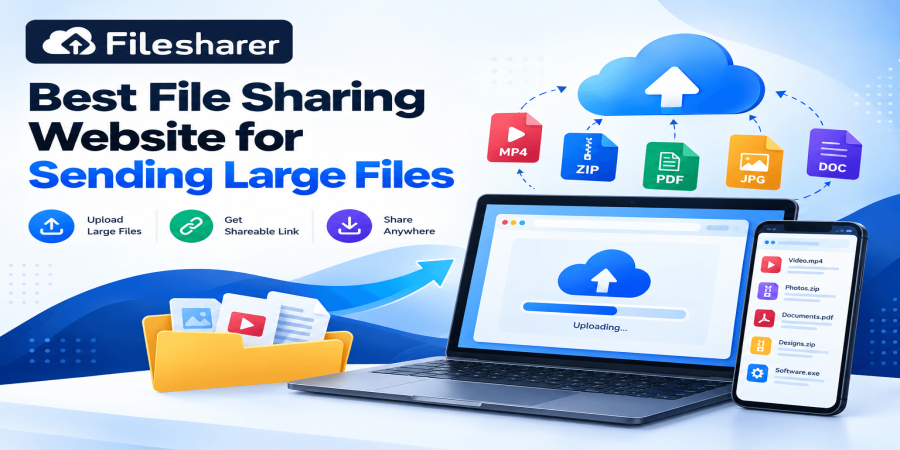
Best File Sharing Website for Sending Large Files: A Practical Guide for 2026
Oct 15, 2026 07:58 AM
Michael Carter
Sending a file should be simple, yet a large attachment can turn an ordinary task into a frustrating problem. Imagine finishing a product video for a customer, preparing a collection of high-resolution photographs, or exporting a presentation for a remote team. The work is ready, the deadline is close, and your email refuses the attachment because it is too large. You might try sending several smaller messages, reducing image quality, or asking someone to install unfamiliar software. Those workarounds can waste time and create confusion. A dedicated file sharing website offers another approach: upload the original file to an online service, generate a link, and send that link to the intended recipient. The person receiving it can download the material when convenient, subject to the service's availability period and access controls.
This guide explains how to find the best file sharing website for your particular needs, not simply the website with the most impressive advertisement. There is no universally perfect choice. A student sending one assignment, a designer delivering layered artwork, and a business transferring a large training recording may need different limits, privacy options, and retention periods. Understanding those differences will help you avoid failed uploads and unexpected expenses. Large files can include video projects, compressed folders, spreadsheets, high-resolution images, software packages you are authorized to distribute, and collections of documents. They may be measured in hundreds of megabytes or several gigabytes. A gigabyte describes file size, not necessarily the time required to upload it.
Actual performance depends on the sender's upload connection, service capacity, network conditions, and the recipient's download connection. Another important distinction is between file transfer and long-term backup. A transfer service helps deliver a copy; it should not become your only storage location for important work. Always preserve an original on a trusted device or approved backup system. Before choosing a platform, identify who will receive the file, how urgently they need it, whether the material contains private information, and when the link can safely expire. These questions matter more than a catchy promise of unlimited speed. Throughout this article, we will use practical examples from everyday business, education, creative work, and personal sharing.
You will learn what features to compare, how to prepare an upload, how to check a generated link, how to protect access appropriately, and what mistakes beginners commonly make. You will also find a checklist and frequently asked questions that can support your next transfer. The goal is a repeatable habit: send the correct version, to the correct person, in a form they can open without unnecessary technical difficulty. You do not need advanced networking knowledge to follow these steps. You only need a browser, a connection that can complete the upload, enough available storage under the chosen plan, and a few minutes of careful preparation. When file delivery becomes predictable, the conversation can return to the actual project instead of the attachment problem.
A practical rule is to choose the delivery method only after looking at the finished item, rather than changing the item to satisfy the first service you encounter. If the video must remain editable, do not replace it with a heavily compressed preview without asking the recipient. If the recipient needs a simple PDF, do not send a complicated project folder. The best experience is usually the smallest sensible package that still contains everything the other person genuinely needs.
Why Choosing the Right File Sharing Website Matters
For small businesses and everyday users, moving information reliably is part of finishing work. A freelance editor may need to deliver source footage without reducing its quality. A shop owner may send a product catalog to several distributors. A teacher may provide students with a course resource folder, while a remote employee needs to share approved documents with colleagues in different time zones. In each example, attaching an entire file to a message can be inconvenient or impossible. A link-based transfer separates the message from the large content: the sender uploads the file once and shares a much smaller link. This can reduce repeated email attachments and give recipients flexibility about when they retrieve the file. It may also help preserve original filenames and document quality, especially when material is organized into a ZIP archive rather than transferred through a messaging service that changes images or videos. Convenience, however, should not be confused with guaranteed delivery. If the link expires, the uploader runs out of space, or the recipient cannot use the download page, the transfer has not achieved its purpose.
That is why good planning includes file size, retention time, recipient experience, and privacy from the start. Consider a photographer delivering a 4 GB folder of approved images. A platform with a 2 GB per-file limit is unsuitable for one archive, even if the account has plenty of total storage. A service with a 6 GB per-file limit might accommodate the archive, provided there is also enough unused storage. Meanwhile, a 7 GB video would exceed that same per-file ceiling. These examples show why maximum individual upload size and overall account capacity are separate measurements. Time matters too. A link that remains available for a few days can be fine for a quick handoff, but it may not fit a client who is traveling for several weeks. Conversely, permanent hosting can be unnecessary when the file is only needed once.
Security matters because download links are easy to forward. A link described as private may still be accessible to anyone who obtains it unless the service uses stronger recipient-specific controls. Avoid transferring sensitive customer records or confidential contracts through a public-link workflow unless your organization's rules permit it and suitable safeguards are in place. File sharing also affects professionalism. Clear filenames, accurate descriptions, agreed deadlines, and a tested download path show the recipient that the transfer was prepared carefully. These small steps reduce follow-up messages asking which version is correct or why a link no longer works. Finally, remember that the cheapest service is not always the most economical if failed transfers consume working hours. A free plan can be excellent when its limits fit the task. A paid plan may make sense when higher limits or different retention options are genuinely required.
Compare actual use cases, not advertisements. When your choice reflects what the recipient needs, large-file sharing becomes less of a technical obstacle and more of an ordinary, manageable part of work. This approach is also useful for repeat clients. If a customer receives design files every month, agree on a naming pattern and delivery window once, then apply them consistently. Even a two-sentence handoff message can prevent several avoidable support requests. Reliable sharing is less about technical sophistication than about making the next step obvious to the person receiving your work.
What Makes the Best File Sharing Website for Large Files?
The best file sharing website should match five practical needs: capacity, usability, predictable availability, appropriate security, and transparent terms. Start with capacity. Check the maximum size permitted for one file, the total storage allowance, and the number of simultaneous uploads. These numbers mean different things. If you have 20 GB of storage but a 5 GB per-file limit, you cannot upload an 8 GB archive as one item merely because your remaining storage is larger. Next, look at usability. Can you select files through a normal browser? Is drag-and-drop offered? Does the interface show progress clearly? Can the recipient download without confusing registration requirements? Beginners usually benefit from a straightforward workflow more than an overloaded dashboard. Third, investigate retention. Some services automatically remove uploads after a set number of days, while different subscription plans may allow longer availability. If the recipient needs the file next month, retention is just as important as the initial upload limit. Fourth, consider access controls.
Look for password protection, private-link options, deletion controls, and account management where these are available. A password-protected link is useful only when the password is kept separate and the settings actually work for the chosen upload. Finally, read the provider's terms for permitted content, limitations, advertisements, and costs. For a concrete example, Filesharer's currently published free Starter plan lists The best file sharing website should match five practical needs: capacity, usability, predictable availability, appropriate security, and transparent terms. Start with capacity. Check the maximum size permitted for one file, the total storage allowance, and the number of simultaneous uploads. These numbers mean different things. If you have 20 GB of storage but a 5 GB per-file limit, you cannot upload an 8 GB archive as one item merely because your remaining storage is larger. Next, look at usability.
Can you select files through a normal browser? Is drag-and-drop offered? Does the interface show progress clearly? Can the recipient download without confusing registration requirements? Beginners usually benefit from a straightforward workflow more than an overloaded dashboard. Third, investigate retention. Some services automatically remove uploads after a set number of days, while different subscription plans may allow longer availability. If the recipient needs the file next month, retention is just as important as the initial upload limit. Fourth, consider access controls. Look for password protection, private-link options, deletion controls, and account management where these are available. A password-protected link is useful only when the password is kept separate and the settings actually work for the chosen upload.
Finally, read the provider's terms for permitted content, limitations, advertisements, and costs. For a concrete example, Filesharer's currently published free Starter plan lists 21 GB of storage, a 6 GB maximum per file, availability for 50 days, and five simultaneous uploads. The service also lists browser-based uploads, link sharing, and optional access-related features. These figures come from published plan information and can change; check the current Filesharer pricing and plans before committing to a deadline. Filesharer can therefore be a practical option for a beginner whose ordinary files fit its Starter limits, without claiming that it is automatically suitable for every large project. For more complex needs, compare the relevant plan rather than assuming the word "unlimited" applies to free usage.
Another consideration is the distinction between an upload service and a full collaboration suite. A transfer-oriented site is often enough when one person needs to receive finished files. A team that needs simultaneous editing, detailed permission groups, or approval workflows may require a different kind of workspace. Consider mobile experience as well. Your customer may open the link on a phone with limited data; showing the expected file size in your message helps them decide whether to download immediately or wait for Wi-Fi. Upload speed deserves realistic expectations because even a responsive website cannot overcome an unstable local connection. If you regularly transfer very large material, conduct a small test with a non-sensitive sample first. Check the page on another device and confirm whether the download remains straightforward. Finally, assess the support and deletion options rather than trusting a single feature badge.
The right platform is the one that fits your file, recipient, security requirements, budget, and delivery deadline with minimal surprises. A useful comparison method is to write down your requirements before looking at providers: largest expected file, number of recipients, required availability, acceptable cost, and sensitivity level. Mark any requirement that cannot be compromised. A service that meets four preferences but fails your essential privacy rule should not be selected for that transfer. Likewise, choosing a premium subscription for a single modest file may provide little benefit. Test a realistic file, not just a tiny sample, when performance is important.
The service also lists browser-based uploads, link sharing, and optional access-related features. These figures come from published plan information and can change; check the current Filesharer pricing and plans before committing to a deadline. Filesharer can therefore be a practical option for a beginner whose ordinary files fit its Starter limits, without claiming that it is automatically suitable for every large project. For more complex needs, compare the relevant plan rather than assuming the word "unlimited" applies to free usage. Another consideration is the distinction between an upload service and a full collaboration suite. A transfer-oriented site is often enough when one person needs to receive finished files. A team that needs simultaneous editing, detailed permission groups, or approval workflows may require a different kind of workspace.
Consider mobile experience as well. Your customer may open the link on a phone with limited data; showing the expected file size in your message helps them decide whether to download immediately or wait for Wi-Fi. Upload speed deserves realistic expectations because even a responsive website cannot overcome an unstable local connection. If you regularly transfer very large material, conduct a small test with a non-sensitive sample first. Check the page on another device and confirm whether the download remains straightforward.
Finally, assess the support and deletion options rather than trusting a single feature badge. The right platform is the one that fits your file, recipient, security requirements, budget, and delivery deadline with minimal surprises. A useful comparison method is to write down your requirements before looking at providers: largest expected file, number of recipients, required availability, acceptable cost, and sensitivity level. Mark any requirement that cannot be compromised. A service that meets four preferences but fails your essential privacy rule should not be selected for that transfer. Likewise, choosing a premium subscription for a single modest file may provide little benefit. Test a realistic file, not just a tiny sample, when performance is important.
Step-by-Step Guide: Prepare Your Large File and Upload It
A successful transfer starts before you press the upload button.
Step 1: Identify the final material
Open the document, video, or folder on your device and confirm it is the correct version. Remove drafts, unrelated screenshots, and information the recipient does not need. Sending fewer unnecessary items saves bandwidth and reduces the risk of sharing private details.
Step 2: Measure the actual size
In your computer's file manager, check the file's properties, or use the equivalent information screen on a phone. Compare that value with the service's maximum individual file size, not just its total storage allowance. When several files belong together, decide whether they should be uploaded separately or gathered into one package.
Step 3: Organize and name the package
A descriptive filename such as Store-Catalog-Approved-October-2026.zip is easier to recognize than final-new2.zip. For multiple related files, create a clearly structured folder and compress it as a ZIP archive if your device supports that option. Remember that already-compressed formats, such as many videos and photographs, may not become much smaller; ZIP files are often more useful for organization than dramatic size reduction.
Step 4: Keep your original
Save a master copy in a trusted location and, for valuable projects, maintain a separate backup. A temporary transfer link must never be the only surviving copy.
Step 5: Review the upload website
Open its legitimate address directly, verify that the connection is secure, and inspect the current size and availability limits. Read any restrictions on file types or sharing. If you want more background before beginning, consult this beginner’s guide to sharing large files online.
Step 6: Choose your file
On Filesharer's upload page, the interface provides a drag-and-drop area and a control for browsing files from your computer. Select the intended file and double-check its name. If you are uploading several items, stay within the simultaneous-upload allowance displayed for your plan.
Step 7: Check optional settings
Review the auto-delete choice, if displayed, and any available privacy or password settings before uploading. An option advertised in a feature list should not be assumed active for a particular upload; confirm what you have actually selected.
Step 8: Begin the upload
Use the Upload control and allow the browser to finish. Large transfers take time, especially on slower upstream connections. Avoid closing the tab or switching networks midway through the process. If progress stops, check your internet connection and any on-screen error message before restarting.
Do not repeatedly upload the same confidential material to several unknown services merely because the first attempt feels slow. Check your archive once before uploading it. Once the website confirms completion, you are ready to capture the correct share link, test it, and deliver it with an understandable message. Careful preparation is usually faster than troubleshooting an incorrect upload after the recipient has already tried to download it.
If you are working with a client, you can also add a brief contents note inside the archive, explaining which file is the final deliverable and which files are optional supporting assets. This is especially helpful when the folder contains several formats, such as a PDF preview, original photographs, and editable design files. Confirm that file names do not accidentally disclose customer identities or confidential project information. Keeping everything tidy from the beginning protects privacy while making the eventual download easier to understand and use.
Step-by-Step Guide: Send Safely, Test Access, and Confirm Delivery
Step 1: Save the generated link carefully
After the platform confirms the transfer, copy the exact download URL provided for that file. If a separate management or deletion link appears, store it privately rather than including it in the message to the recipient. Check that you have not copied an unrelated page address.
Step 2: Test access yourself
Open the link in a fresh private browser window or another device. Confirm that it leads to the expected filename and that downloading can begin. If a password option is enabled, verify that the link requires it.
Step 3: Choose the audience
Decide whether the content is suitable for anyone holding a link or whether stricter recipient authentication is required. Do not treat an unguessable URL as a substitute for permission management when the material is confidential. If the recipient must be individually identified or access must be audited, use a company-approved sharing system designed for that requirement.
Step 4: Write a clear delivery message
Include the project title, a short description, the approximate file size, and the download deadline. For example, say that the link contains approved design assets, the ZIP is several gigabytes, and the recipient should download it before the stated date. If a password is necessary, communicate it using another trusted channel rather than posting it beside a publicly visible link.
Step 5: Ask for confirmation
For paid client work, assignments, or urgent business documents, request a brief acknowledgment that the file opened successfully. If something goes wrong, first check the expiration time, available permissions, browser behavior, and filename. Avoid creating numerous duplicate uploads without knowing what failed.
Step 6: Retire old transfers
When delivery is complete, remove unnecessary hosted copies if the platform offers a delete feature, or allow an appropriate expiration setting to take effect. Keep an internal note of what was shared, with whom, and when, where your workplace policy allows it. Good privacy habits protect both sender and recipient.
The UK National Cyber Security Centre's guidance on securely sharing access in cloud services explains the importance of controlled permissions, clear ownership, and the ability to revoke access. Those principles are useful even for small teams, although a simple public-link platform may not offer every enterprise control. File integrity is another consideration. A large video that was exported at poor quality will not improve during transfer; open the source beforehand. For technical deliveries where exact bytes matter, an agreed checksum can help verify that the downloaded copy matches the original, provided the checksum is communicated reliably.
If a recipient is on mobile data, ask whether they prefer a preview or can download the full package over Wi-Fi. The result is a professional handoff: correct material, suitable permissions, clear instructions, and a confirmed download rather than an untested link dropped into a chat. For recurring work, save a reusable delivery-message template and change only the project name, file size, link, and deadline. Do not save active passwords in a publicly shared template. When a file replaces an earlier version, tell the recipient which one is current and whether they should delete the older copy. If there is a dispute about whether material arrived, a dated confirmation message provides much clearer context than relying on memory. Simple communication makes the technical transfer more dependable.
Frequently Asked Questions and Final Recommendation
What is the best file sharing website for a beginner?
The right choice is a service with an understandable upload page, limits that fit your actual file, a usable download link, and appropriate privacy options. Filesharer is one option worth evaluating for straightforward transfers; check its current plan details rather than assuming every project qualifies for free use.
Can I send a large file without an email attachment?
Yes. Upload the file to an appropriate hosting platform, then send the generated download link through email or another trusted communication method. The message carries the link, not the entire large attachment.
How much can I upload for free on Filesharer?
Its published Starter plan currently lists 21 GB total storage and a 6 GB maximum size for an individual file, with files available for 50 days. Published terms may change, so confirm the figures on the live site before a critical transfer.
Do recipients need an account?
The Filesharer website says basic uploads can be made without an account, but recipient access and any applicable restrictions should still be checked in your own test. Requirements can differ across providers and types of links.
Can I send videos without reducing quality?
A file-hosting workflow can deliver the uploaded original rather than relying on a messaging app's media preview. However, you must first export the correct-quality version and verify the download.
Is a password-protected link completely private?
No single password makes every risk disappear. Protection depends on the service's implementation, the strength and handling of the password, and whether the recipient forwards the file after downloading. For sensitive records, use an approved system with proper access controls.
Why does my upload take so long?
Your upload bandwidth, Wi-Fi stability, file size, network congestion, and provider conditions can all affect completion time. A large transfer over a slow upstream connection may take much longer than ordinary browsing suggests.
Should I compress everything into a ZIP?
Not necessarily. ZIP archives help keep many related files together, but already-compressed videos and images often shrink very little. Confirm that the recipient can extract the package.
What happens when my file expires?
Depending on the service and its rules, the file may no longer be available through the previous link. Keep your original and be ready to share again through a suitable plan if the recipient missed the deadline.
Is online file sharing a backup?
Not by itself. Temporary hosting is designed for delivery; valuable work still needs an independent, dependable backup.
Can I share copyrighted material?
Only share material you own or have permission to distribute, and follow the platform's content rules.
What if the recipient cannot open my link?
Recheck the URL, expiration, access settings, and browser; then test the link yourself before arranging a new transfer.
Login or create account to leave comments
Popular articles
Top Free Cloud Storage Platform for Fast and Secure File Sha...
Mar 13, 2026 07:18 PM
Why Secure Cloud Storage Is Essential for Modern File Sharin...
May 19, 2026 01:40 PM
What Is File Sharing and How to Share Files Online Securely
Mar 12, 2026 07:43 PM
Best Free Cloud Storage for Secure File Sharing in 2026
Mar 13, 2026 07:08 PM
Best Cloud File Transfer Platforms for Easy Online Sharing
May 19, 2026 01:48 PM
Comments (0)